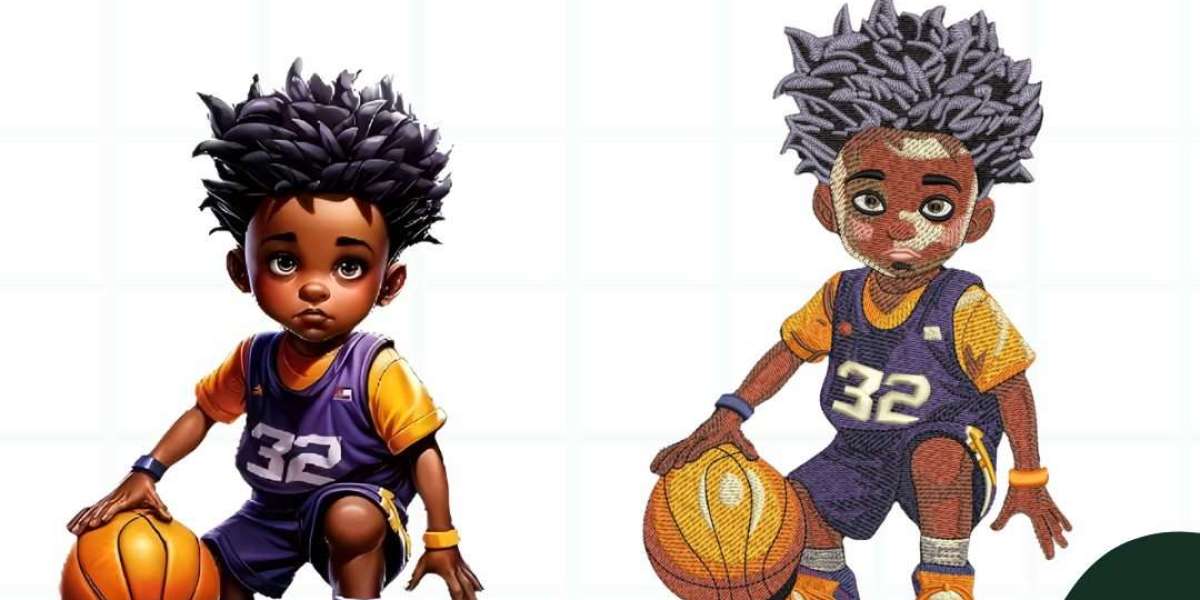

In today’s world of personalized products and custom branding, embroidery offers a timeless, high-quality way to showcase your design, whether it’s a business logo, personal monogram, or custom artwork. But to get your image stitched out beautifully by an embroidery machine, you first need to convert image into embroidery file.
What Is an Embroidery File?
Unlike standard image formats like JPG or PNG, embroidery machines require a special file type that contains stitch data, not just pixels. This data tells the machine where to place each stitch, what type of stitch to use, and what order to do it in.
Common embroidery file formats include:
- .PES: used by Brother/Baby Lock machines
- .DST: used by Tajima and many commercial machines
- .JEF: used by Janome
- .EXP: used by Bernina/Melco
To go from image to stitch, your artwork needs to be digitized, a detailed process that converts the image into a machine-readable embroidery file.
How We Convert Your Image to an Embroidery File
At ZDigitizing, we handle the entire conversion process for you, ensuring your design looks crisp, professional, and stitch-perfect. Here's what the process looks like from start to finish:
1. Image Review
We start by reviewing the image you send, whether it’s a logo, sketch, or photo. Ideal images:
- Are clear and high-resolution
- Use simple shapes and clean lines
- Avoid excessive gradients or very tiny text
If your image needs minor edits, we’ll take care of it.
2. Professional Digitizing
Using high-end digitizing software, we manually create your embroidery file. This includes:
- Choosing the right stitch types (satin, fill, run, etc.)
- Setting the thread paths for smooth stitching
- Adjusting density and underlay for clean results
- Assigning thread colors to match your branding
This is not an automated process; we digitize every design by hand to ensure top quality.
3. Format Delivery
Once the file is ready, we’ll send it in your machine’s required format (e.g., .PES, .DST, .JEF). We can also include:
- A stitch preview image
- Color chart
- Thread sequence
You’ll receive a file that’s ready to load and embroider.
4. Test & Support
We recommend testing the file on similar fabric to what you'll be using. If any tweaks are needed, we offer free minor edits to ensure you're 100% satisfied.
Why Choose ZDigitizing?
- Accuracy Matters: Every stitch is placed with care to preserve detail and design integrity.
- Multiple Machine Formats: We support all major embroidery brands and machines.
- Human-Centered Digitizing: No auto-digitizing shortcuts here, just professional craftsmanship.
- Fast Turnaround: Most files are delivered within 24–48 hours.
- Responsive Support: Questions? We’re just a message away.
Need Help Turning Your Logo into Stitches?
Whether you’re a small business wanting custom uniforms or a crafter looking to personalize gifts, ZDigitizing makes it easy to go from image to embroidery.